Learn to Diagnose, Repair & Optimize Computers
Time before the price increases:

Why You Should Take This Course
Computer Engineering Is One Of The Most In Demand Skills In The World Today


Why Choose SkillBoost?
- Beginner Friendly Training
- SkillBoost is Accredited by the Federal Ministry of Labour and Employment
- Experts-Led Training + Real Business Cases
- Job Guaranteed or Get a 100% Refund
- Remote Internship with 2 Big Foreign Companies
- Professional Certificate of Completion
- Job Alerts & Career Guidance
- FREE Ultra-Fast Unlimited Internet (Starlink)
- Become AI-Powered Data Analyst
Skills You'll Learn
Module 1: Computer Architecture Basics — CPU, RAM, motherboard, storage, PSU, and how they interact
Module 2: Peripherals & Connectors — ports, cables, expansion cards, internal vs. external components
Module 3: Operating System Fundamentals — how Windows manages hardware, file systems, drivers, and processes.
Assignment: Label a diagram of a PC correctly identifying every major component and its function in a short report.
Module 1: Diagnostic Tools — POST codes, beep codes, built-in diagnostics.
Module 2: Common Hardware Failures — RAM, storage drives, PSU, overheating, motherboard issues.
Module 3: Hands-On Diagnosis Lab — component swapping, isolation testing, reading system logs for hardware clues
Assignment: Writing a diagnostic plan for an hardware problem. What you’d check first, in what order, and why.
Assignment: Writing a diagnostic plan for an hardware problem. What you’d check first, in what order, and why.
Module 1: Understanding Software Conflicts — driver clashes, DLL issues, version incompatibilities
Module 2: Diagnosing OS Errors — blue screens (BSOD), boot failures, Event Viewer, Safe Mode
Module 3: Malware & System Corruption — identifying malicious software vs. genuine system errors.
Assignment: Use Event Viewer to find and interpret 3 logged errors/warning.
Module 1: Performance Diagnosis Tools — Task Manager, Resource Monitor, Performance Monitor
Module 2: Common Performance Bottlenecks — startup bloat, fragmented drives, thermal throttling, insufficient resources
Module 3: Optimization Techniques — cleanup, startup management, driver updates, hardware upgrade recommendations.
Assignment: Perform a full performance audit. Identify 3 bottlenecks, apply fixes, and document before/after performance metrics.
Module 1: BIOS/UEFI Fundamentals — accessing, navigating, and understanding firmware settings
Module 2: Essential Configuration — boot order, security settings, hardware enablement/disablement
Module 3: Advanced Settings & Troubleshooting — firmware updates, CMOS reset, recovering from bad configurations
Assignment: Access a BIOS/UEFI menu, screenshot 5 key settings sections, and write a one paragraph explanation of what each section controls and when a technician would need to change it.
Module 1: OS Installation — clean installs, partitioning, drive formatting, driver installation post-install
Module 2: Application Installation & Management — installing, updating, and uninstalling software cleanly.
Final Project 1: Students receive a “broken” PC scenario and must diagnose, fix, and reinstall as needed
Final Project 2: Complete a full clean OS installation, install and configure 3 essential applications, then submit a full repair report as if for a paying client, covering diagnosis, actions taken, and final system state.
Register today to enjoy our Workspace with Ultra Fast Satellite Internet (Starlink) for FREE.
Training Locations, Dates & Time
No need to quit your job or school, you can enhance your professional and earning potential with our weekday, weekend and online sessions.
Ibadan Physical Training (Weekday)
- SkillBoost Limited: 4, Obe Street, Beside BOVAS Filling Station, New Bodija, Ibadan, Oyo State, Nigeria.
- Start Date: Monday 17th August 2026.
- Days & Time: (Mon, Wed and Fri) 10:00AM - 1:00PM
- Duration: 6 Weeks
Port Harcourt Physical Training (Weekday)
- SkillBoost Limited: Fonte House, 1 Temple Ejekwu Close, First Artillery Junction, Aba Road, Port Harcourt, Rivers State.
- Start Date: Monday 17th August 2026.
- Days & Time: (Mon, Wed and Fri) 10:00AM - 1:00PM
- Duration: 6 Weeks
Weekend Physical Training
- Join our intensive, 100% hands-on weekends
- Lagos Start Date: Saturday 22nd August 2026.
- Port Harcourt Start Date: Sat.22nd August 2026.
- Ibadan Start Date: Saturday 22nd August 2026.
- Days & Time: (Sat. & Sun.) 1:00PM - 4:00PM
- Duration: 8 Weeks
Lagos Physical Training (Weekday)
- SkillBoost Limited: 19, Afolabi Obe Street, Ori-Oke Bus Stop, Ikotun-Egbe Road, Ejigbo Lagos.
- Start Date: Monday 17th August 2026.
- Days & Time: (Mon, Wed and Fri) 10:00AM - 1:00PM
- Duration: 6 Weeks
Instructor-Led Live Online Training
- Join our Instructor-Led Online Training and never miss a session—every class is recorded, giving busy professionals and business owners the flexibility to learn, grow, and achieve results on their own schedule.
- Start Date: 22nd August 2026.
- Days & Time: (Mon, Wed and Fri) 7:00PM - 9:00PM
- Duration: 6 Weeks
Corporate/Group Training
- SkillBoost Limited’s Corporate Data Analytics Training helps companies turn everyday business data into smarter decisions and higher profitability. Your staff gain practical, hands-on skills in Excel & Business Intellgience.
- Start Date: At your Request
- Days & Time: At your request
- Duration: We can customise a training for your team.
Training Details
Port Harcourt Physical Training Centre
SkillBoost Limited: Fonte House, 1 Temple Ejekwu Close, First Artillery Junction, Aba Road, Port Harcourt, Rivers State.
Start Date (Weekday Batch): 19th January 2026.
Time: 10AM - 1PM (Monday, Wednesday and Friday)
Duration: 6 Weeks
Ibadan Physical Training Centre
SkillBoost Limited: 4, Obe Street, Beside BOVAS Filling Station, New Bodija, Ibadan, Oyo State, Nigeria.
Start Date (Weekday Batch): 19th January 2026.
Time: 10AM - 1PM (Monday, Wednesday and Friday)
Duration: 6 Weeks
Instructor-Led Live Online Training
Join our 10-Week Instructor-Led Online Training and never miss a session—every class is recorded, giving busy professionals and business owners the flexibility to learn, grow, and achieve results on their own schedule.
Training Start Date: 26th January
Time and Days: Mon, Wed. & Fri (Time: 7PM- 9PM)
Duration: 6 Weeks
Weekend Batch (Physical)
Training Start Date: 24th January 2026.
Days and Time: Sat (10:00AM - 1:00PM) & Sun (1:00PM - 4:00PM).
Duration: 8 Weeks
100% Money-Back Guarantee
If you complete the training, apply the skills, and do not get a Job within 3 - 6 Months, we’ll refund every fee—no questions asked. The only risk? Missing out on a life-changing opportunity. Enroll now and start building your future!
To REGISTER
Transfer or Pay ₦150,000 Into:
ACCOUNT NUMBER
0058423529
ACCOUNT NAME
SKILLBOOST LIMITED
BANK NAME
UNITY BANK
After Payment, Send Your Proof of Payment to 08028973599 via WhatsApp to Complete Your Registeration.
Training Details
Port Harcourt Physical Training Centre
SkillBoost Limited: Fonte House, 1 Temple Ejekwu Close, First Artillery Junction, Aba Road, Port Harcourt, Rivers State.
Start Date (Weekday Batch): 19th January 2026.
Time: 10AM - 1PM (Monday, Wednesday and Friday)
Ibadan Physical Training Centre
SkillBoost Limited: 4, Obe Street, Beside BOVAS Filling Station, New Bodija, Ibadan, Oyo State, Nigeria.
Training Start Date: 19th January 2026
Time: 10am - 1pm (Monday, Wednesday and Friday)
Instructor-Led Live Online Training
Join our 10-Week Instructor-Led Online Training and never miss a session—every class is recorded, giving busy professionals and business owners the flexibility to learn, grow, and achieve results on their own schedule.
Training Start Date: 19th January (Time: 7PM- 9PM)
Time and Days: Mon, Wed. & Fri.
100% Money-Back Guarantee
If you complete the training, apply the skills, and do not get a Job within 3 - 6 Months, we’ll refund every fee—no questions asked.
The only risk? Missing out on a life-changing opportunity. Enroll now and start building your future!
Training Fee & Payment Details
Pay Early Bird Fee of N70,000 Instead of N100,000 Now!
To REGISTER, Please Pay into SkillBoost Limited Account Number: 0058423529 (Unity Bank Plc)
Meet Our Mentors

Oluwatobi Oyinlola

Mr Tope Fasua

Abiodun Musbaudeen
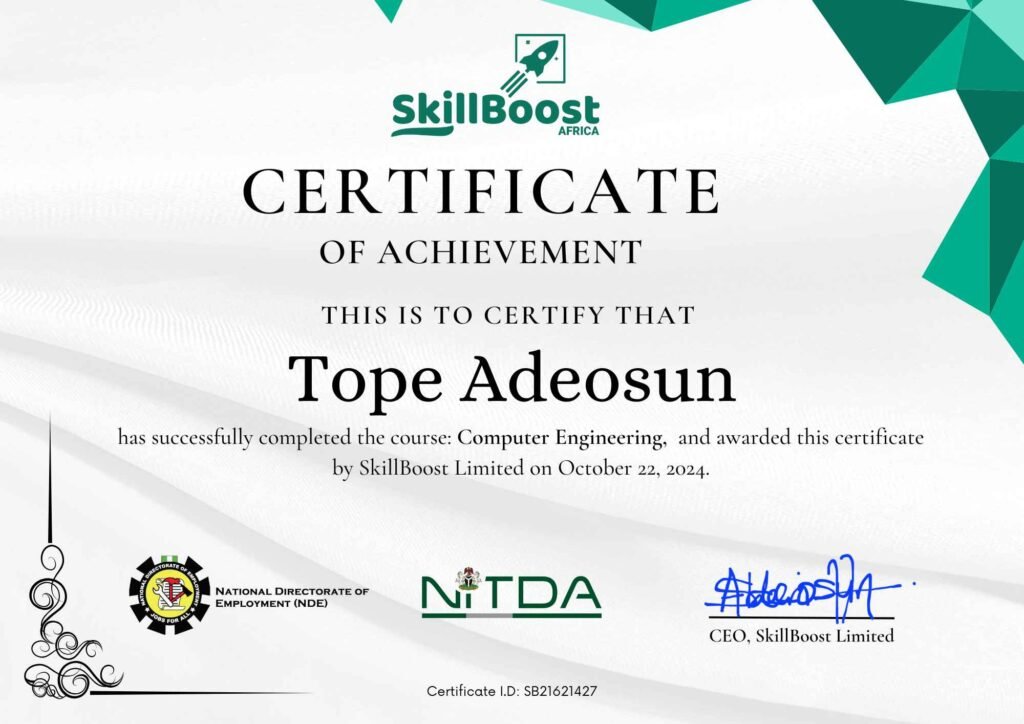
Earn a certificate that sets you apart
Testimonials
EXCELLENT Based on 242 reviews
 Posted on Google
 Elem Uduma-DanielCommendable... Thank you for your good work at the just concluded STEM program in AsabaPosted on Google
 Urie EzekielIt was excellent & great experiencePosted on Google
 Taiwo olusegun lawrenceI love every seconds with themPosted on Google
 SAMUEL FAVOURI had an Amazing learning experience at SkillBoost Academy. The Virtual Assistant training was practical and well organized. A special appreciation goes to my outstanding Tutor ( Mrs Kika) whose patience, knowledge, and clear teaching style made every lesson season engaging and interesting. I'm super grateful for the patience and constant encouragement towards assignments and tasks. Truly one of the best tutors I've ever had.Posted on Google
 Micheal UdechukwuI want to Thank SkillBoost for making me better than I was. I started as a novice and I struggled to flow initially however, in SQL and Tableau class, handled by Madam Oge, I was finetuned and aligned properly. Thank you SkillBoost.Posted on Google
 josse OparaIt was a great whole lot of amazing experiences gain during this period of my data analysis classes in Skillboost, With this knowledge of Data Analysis gain from you, I would be interested to enroll or further other DataTech in SkillboostPosted on Google
 Edna OnuoraI just concluded my program on Excel and Power BI, it was an awesome experience at skillboost Nigeria. I had the privilege to be taught by Mr Emmanuel Onyekwere who always ensure he carries all his student along, i give it to you Mr Emmanuel 👍. I sincerely didn't regret enrolling with skillboost
Frequently Asked Questions
This course is ideal for beginners, students, aspiring IT professionals, office workers, entrepreneurs, and anyone who wants to learn professional computer repair and troubleshooting skills.
Yes. We’re happy to work with you on a payment plan. If you’d like to speak with a member of staff about possible payment options, you may reach us at 07030163486 via WhatsApp.
Tools & Materials Needed
A Laptop
A short screw driver
USB Flash drive (minimum of 8gb)
Notebook and Pen
Yes. Every week includes hands-on exercises, real troubleshooting scenarios, assignments, and practical projects designed to develop real-world skills.
People prefer SkillBoost over others because our trainings are:
- Experts Led: Some of our trainers and Mentors work with some of the biggest Tech Companies in the World (Google, Facebook, etc)
- Projects-Based Training: We build our students confidence with in-depth live projects.
- Job Recommendation: We connect our students to top employers within and outside Nigeria.
- We offer FREE Career Guidance and mentoring.
- FREE Access to Support & Jobs Community.
- Recognized Certificate: Our certificates are recognized globally.
- Flexible Timing (In-Class, Online & Weekend.
- Flexible Payment Plan
Yes. it is recommended you come with your own laptop as it will help you to practice whatever you are learning easily. However, we provide laptop that can be used only within our premises if need be.
Our I.T classes are on a rolling basis. It’s not like schools when you can only start in April. Call us on 07030163486 and we will fill you in on all the details.
Ibadan Physical Training (Weekday)
- SkillBoost Limited: 4, Obe Street, Beside BOVAS Filling Station, New Bodija, Ibadan, Oyo State, Nigeria.
- Start Date: 19th January 2026.
- Days & Time: (Mon, Wed and Fri) 10:00AM - 1:00PM
- Duration: 6 Weeks
Port Harcourt Physical Training (Weekday)
- SkillBoost Limited: Fonte House, 1 Temple Ejekwu Close, First Artillery Junction, Aba Road, Port Harcourt, Rivers State.
- Start Date: 19th January 2026.
- Days & Time: (Mon, Wed and Fri) 10:00AM - 1:00PM
- Duration: 6 Weeks
Instructor-Led Live Online Training
- Join our 10-Week Instructor-Led Online Training and never miss a session—every class is recorded, giving busy professionals and business owners the flexibility to learn, grow, and achieve results on their own schedule.
- Start Date: 26th January 2026.
- Days & Time: (Mon, Wed and Fri) 7:00PM - 9:00PM
- Duration: 6 Weeks
Weekend Batch (Physical)
- Join our 10-Week Instructor-Led Online Training and never miss a session—every class is recorded, giving busy professionals and business owners the flexibility to learn, grow, and achieve results on their own schedule.
- Start Date: 26th January 2026.
- Days & Time: Sat (10:00AM - 1:00PM) & Sun (1:00PM - 4:00PM).
- Duration: 8 Weeks