
Become a Certified Video Editor | Beginner to Pro
Step-by-Step Training to Edit Incredible Looking & Stunning Videos with Any Equipment or Software
Learn from Beginner to Advanced Adobe Premiere Pro Video Editing, Audio Editing, Color Grading, Motion Graphics, Green Screen+
Time before the price increases:
Why You Should Take This Course
Video Editing Is An In Demand Skill Around The World Today.


Why Choose SkillBoost?
- Beginner Friendly Training
- Expert-Led Instructors
- Experts-Led Training + Real Business Cases
- Job Guaranteed or Get a 100% Refund
- Remote Internship with 2 Big Foreign Companies
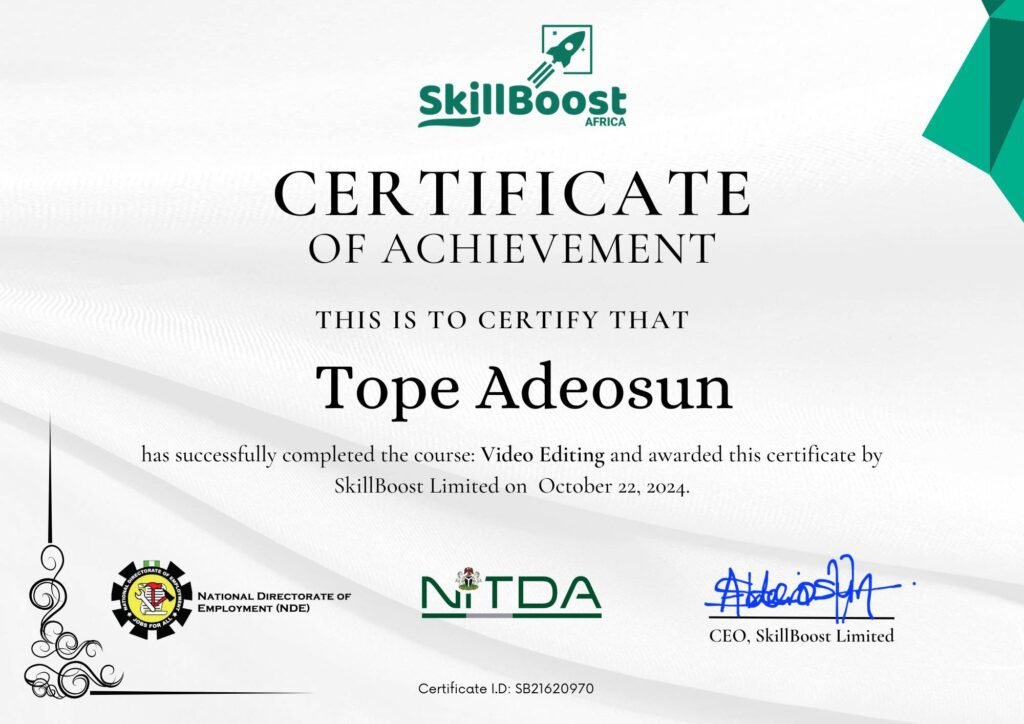
- Professional Certificate of Completion
- Job Alerts & Career Guidance
- FREE Ultra-Fast Unlimited Internet (Starlink)
- Become AI Powered Video Editor
Skills You'll Learn
Phase 1
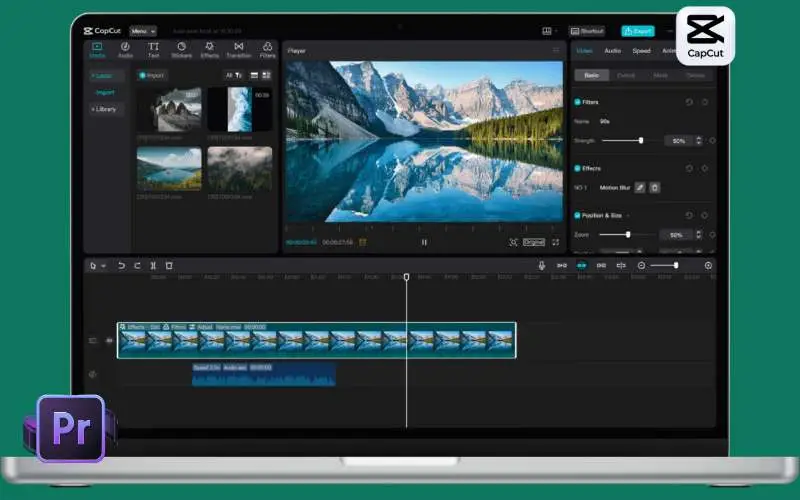
Complete CapCut Course

The Complete Capcut course
Learn the fastest way to master video editing with CapCut.
Content Covered
- Project Setup
- Bringing in and Arranging Media Files
- Using Fundamental Transitions
- Exporting Videos in Different Resolutions and Formats
- Keyframes and Keyframe Animations
- Compound Clips and Advanced Transitions
- Masking and Animations
- Motion Graphics and Multicam Editing
- Keeping sound effects, music, and conversation in balance
- Having flawless audio-visual synchronization
- Make your videos sound good
- Achieving accurate color balance
- Balancing color across multiple clips
- Applying LUTs to enhance visual style
- Enhancing image clarity through exposure and contrast
- Achieving consistent color grading across the video
- Color styling the complete video from start to finish
- Producing and refining content for YouTube
- Creating and trimming short-format videos
- Polishing videos with a focus on the speaker
- Crafting intro segments for podcasts
Phase 2
Complete Abobe Premiere Course
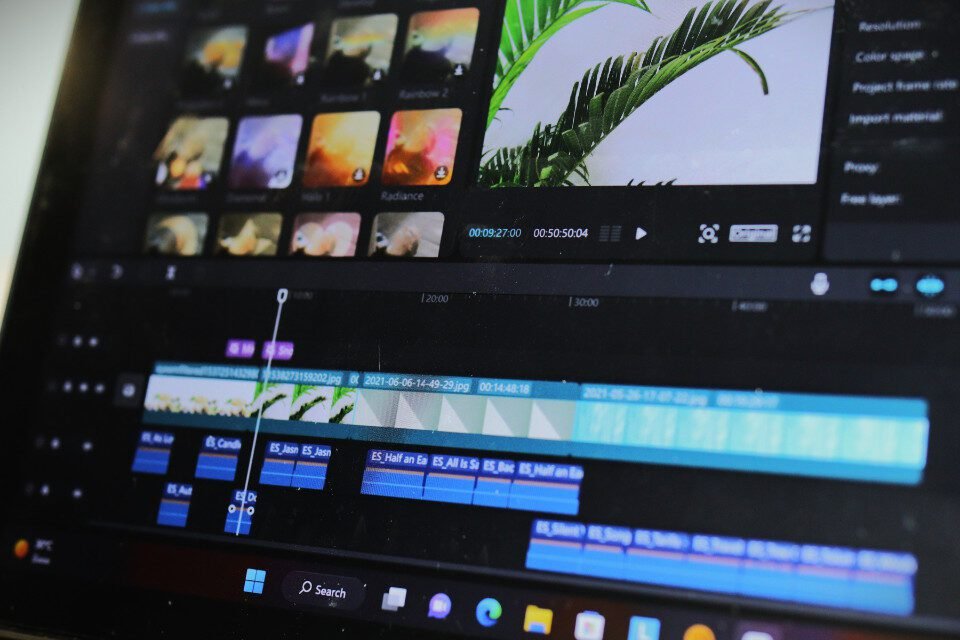
Video Editing With Adobe Premiere Pro
Master video editing with Adobe Premiere Pro.
Key Areas To Be Covered
In this module, you will learn:
- Overview of the Course Structure
- What Adobe Premiere Pro Is
- Who the Course Is For
- System Requirements & Setup
- How to Make the Most of the Course
In this module, you will learn:
- How to Begin Your First Premiere Pro Project.
- Learn How to Use and Customize the Premiere Pro Workspace.
- Using Premiere Pro to import and arrange media (audio, video, and graphics)
In this module, you will learn:
- Beginning a New Sequence and Comprehending Existing Sequences
- Comprehending the Schedule | Course on Premiere Pro Video Editing.
- Including Videos in the Timeline Plus a Complex Method to Boost Efficiency.
- The editing tools, including slips, ripple edits, and razor cuts.
- Using a Button Click to Sync Audio and Video.
- Cutting Down Interview and Talking Head Video.
- Constructing Your Sequence with B-Roll (Extra Visual Footage).
- Scale, Position, Opacity, and Other Video Properties.
- Premiere Pro 2025’s New Transform Button + Crop Method.
- Reach the Effects Panel with New Effects Fast The badge.
- ADVANCED: Cut Types: L-Cut, J-Cut, and Straight.
- Ten Keyboard Tricks to Make Editing Faster.
- AI UPDATE: Using Adobe Sensei to Edit Text-Based Videos in Premiere Pro.
In this module, you will learn:
In this module, you will learn:
- Overview of this Section on Video Style | Premiere Pro Video Editing Course
- Use Keyframes to Produce a Zoom In/Zoom Out Effect.
- Make a Cool Zoom Sequence with Nests | Premiere Pro Video Editing Course.
- Combining Videos using Blend Modes (and a Fast Video Stabilization Trick).
- “A Guide to Copying Properties to Another Video and How to Make a Circle Video Mask.”
- “Using borders to create a split create effect | Premiere Pro Video Editing Course.”
- The Ken Burns Effect: Increasing and decreasing the size of images.
- “Three Techniques for Including Feeling in Your Videos | Premiere Pro Video Editing Course.”
- “Using Cinematic Overlays to Add Style and Gain a Better Knowledge of Aspect Ratios.”
In this module, you will learn:
- How to Adjust Audio Levels to Make Your Audio Louder or Quieter.
- How to Use Premiere Pro to Eliminate Background Noise from Audio.
- The Essential Sound Panel Tutorial: Using Premiere Pro to Edit Audio Easily.
- Changing Music Volumes while Speaking (Ducking Tutorial).
- Bonus: Adjust Music Track Length to Complement Video Length.
- Adjust and add effects to whole tracks with the track mixer.
- How to Use the Essential Sound Panel to Create an Audio Preset.
- Including and Modifying Sound Effects | Course on Premiere Pro Video Editing.
- Bonus: Enhance Your Videos with Sound Effects.
In this module, you will learn:
- Animating in Premiere Pro to Add Motion to Our Graphics.
- What is the Responsive Design Position?
- Using and Installing Graphic Presets.
- How to Use Premiere Pro to Make Scrolling Credits.
- Using a Keyboard Shortcut to Align Graphic Layers.
- Using Motion Graphics Templates to Replace Media.
In this module, you will learn:
- Animating in Premiere Pro to Add Motion to Our Graphics.
- What is the Responsive Design Position?
- Using and Installing Graphic Presets.
- How to Use Premiere Pro to Make Scrolling Credits.
- Using a Keyboard Shortcut to Align Graphic Layers.
- Using Motion Graphics Templates to Replace Media.
In this module, you will learn:
- How to Edit Your Video with Effects.
- How to Animate On/Off Video Effects.
- How to Animate On/Off Video Effects.
- Using Premiere Pro Video Editing to Stabilise Unsteady Camera Footage.
- How to Make Your Videos Blur Faces and Other Objects.
In this module, you will learn:
- The Quick Export Button Makes It Simple to Export Your Videos.
- “Using Premiere Pro to export video: Comprehensive Exporting for Any Device or Screen.”
- First Pro Problem: Does Your Export Show Different Colors?
In this module, you will learn:
- Overview of Frame Rates and Video Speed | Premiere Pro Video Editing Course.
- The Fastest Method for Reversing, Slowing Down, and Speeding Up Your Video.
- Using Frame Rate Interpretation to Modify Clip Speed.
- How to Make a Freeze Frame (and Frame Holds).
In this module, you will learn:
- The Complete Guide to Eliminating Green Screen Backgrounds in Premiere Pro.
- Enhance Your Green Screen Videos and Better Complement Your Backgrounds.
In this module, you will learn:
- Course Overview and Introduction
- Advanced Techniques for Organizing Clips with Labels and Markers
- How to Replace Footage Fast Using the Option Drag Shortcut
- Efficient Editing with Mixed Resolutions and Speed Optimization Tips
- Saving a Frame as an Image from Your Project
- Understanding and Using Nested Sequences Effectively
- Boosting Your Editing Speed with the My Library Feature
- Performance Tips to Make Premiere Pro Run Faster on Slower Systems
- Editing High-Quality Videos Smoothly Using Proxy Files
- Instantly Reformatting Videos for Different Devices with Auto Reframe
- Expanding Panels to Full Screen with a Single Key Press
- Integrating Seamlessly with Other Adobe Tools Using Dynamic Link
- Editing Multi-Camera Footage Quickly and Efficiently
- Fixing Issues with Missing Media by Relinking Files
- Grouping, Linking, and Unlinking Clips for Better Control
- Collaborating with Other Editors Online Using Team Projects
- Streamlining Your Timeline with the Latest Sequence Simplification Features
In this module, you will learn:
- Creative Techniques to Make Titles Pop Over Video
- How to Place Video Inside Text or Logo for a Stylish Effect
- Enhancing Videos with Light Leaks, Film Burns, and Lens Flares
- Creating a Retro Old-Film Aesthetic in Premiere Pro
- Simulating a Typewriter Text Animation with the Type-On Effect
- Applying Smooth Zoom In and Zoom Out Effects to Your Clips
- Designing Custom Wipe-On and Wipe-Off Reveal Transitions
- Giving Your Video a VHS-Style Retro Look Using Premiere Pro
- Boosting Your Editing Speed with the My Library Feature
- Performance Tips to Make Premiere Pro Run Faster on Slower Systems
- Editing High-Quality Videos Smoothly Using Proxy Files
- Instantly Reformatting Videos for Different Devices with Auto Reframe
- Expanding Panels to Full Screen with a Single Key Press
- Integrating Seamlessly with Other Adobe Tools Using Dynamic Link
- Editing Multi-Camera Footage Quickly and Efficiently
- Fixing Issues with Missing Media by Relinking Files
- Grouping, Linking, and Unlinking Clips for Better Control
- Collaborating with Other Editors Online Using Team Projects
- Streamlining Your Timeline with the Latest Sequence Simplification Features
In this module, you will learn:
- Overview of the Advanced Color Grading Module
- Creating the Popular Orange and Teal Cinematic Color Style
- Applying a Warm and Bright Tone to Enhance Footage
- Using a Cool Blue Color Scheme for a Clean, Calm Feel
- Producing a Moody, Desaturated Look for Dramatic Impact
- Comparing Simple Black-and-White with a Classic Film Noir Look
- Recreating Iconic Hollywood Color Grades, Like the Style from The Matrix
In this module, you will learn:
- Work More Efficiently by Leveraging Stock Resources like Envato Elements
- Recommended Stock Platforms for Video Editors
- Incorporating Stock Elements Seamlessly into Your Edits
- Tips for Finding the Right Assets to Match Your Video’s Style
- Enhancing Your Projects with High-Quality Stock Footage
- Designing Unique Transitions and Styles in Premiere Pro Using Stock Content
- How to Work with Stock Motion Graphics Templates in Premiere Pro
- Quickly Producing Social Media Videos Using Ready-Made Stock Templates
- Editing After Effects Templates to Customize for Your Needs
- Wrapping Up the Stock Assets Section
In this course, you will execute between 15 to 20 mini-projects and 3 Capstone Projects to prepare you for job opportunities in video editing. We know exactly what you need to get a job as a video editing expert and we will equip you with all the skills and confidence that you need to land any job opportunity in video editing.
In this segment, you will have a Ask-Me-Anything session with a top video editing expert to guide you further.
In this segment, a top freelancer will share with you a blueprint that guarantees you to make at least $1,000 Monthly working Remotely As A Video Editor… Even if you know nothing about remote work.
The Skilled Worker visa role. We will give you a Guide on How To Apply for Skilled Worker Visa and Tech Nation Visa.
Register today to enjoy our Workspace with Ultra Fast Satellite Internet (Starlink) for FREE.
Phase 3
Get Interview Successfully

Interview Procedure for Video Editing: How to Get Hired
Developing Your Skills to Land Your Dream Video Editing Position.
Key Areas To Be Covered
- Make use of websites such as Amazon, Instagram, LinkedIn, and Facebook.
- Use engagement and content to build credibility. Investigate the role and the company in depth.
- Create compelling answers to common interview questions.
- Confidently respond to challenging or unexpected inquiries.
- Do some advance research on the business and position.
- Get ready for both online and in-person interviews.
- Optimize the technology setup, background, and lighting.
- Use the screen to efficiently and powerfully interact.
- A considerate follow-up email should be sent to reaffirm interest.
- Respond to any issues and keep lines of contact professional.
Skills You'll Learn
As students of Data analysis you will be introduced to data analysis softwares and techniques.
Data Cleaning
What you’ll learn:
1. Removing duplicates and handling missing values.
2. Standardizing data formats (dates, numbers, text).
3. Correcting data entry errors and inconsistencies.
4. Split and merge columns as needed.
Text Functions
What you’ll learn:
1. Introduction to Text functions: Trim, Left, Right, Substitute, etc…
2. Practice using the text functions on sample datasets.
Basic Functions
What you’ll learn:
1. Introduction to Basic arithmetic functions: SUM, AVERAGE, MIN, MAX.
2. Practice using the basic arithmetic functions on sample datasets.
Background:
Netflix Inc. aims to optimize its content recommendation algorithm and improve customer satisfaction by ensuring that its content library data is clean, accurate, and ready for analysis. The company has observed inconsistencies in its data, such as missing values, duplicate records, and incorrect classifications, which may affect the performance of its recommendation system.
Task Overview:
As a data analyst at Netflix, you are tasked with cleaning and preparing the company’s dataset for further analysis. The dataset includes information about movies and TV shows, such as titles, genres, release dates, ratings, and user interaction metrics.
Your Responsibilities:
- Determine which columns have missing data.
2. Decide on appropriate strategies to handle missing values, such as imputation, filling with default values, or removal of rows/columns.
3. Identify and remove any duplicate records in the dataset to ensure each entry is unique.
4. Check for and correct inconsistencies in data formats (e.g., dates, ratings).
5. Standardize categorical data, such as genre and country names, to maintain consistency.
6. Verify that numeric data (e.g., duration, user ratings) is within a reasonable range.
7. Cross-check dates and other time-based data for logical consistencies.
What you’ll learn
- IF function: Basic usage and syntax.
- Creating more complex conditional logic by nesting IF functions.
- Introduction to the IFS function as an alternative to nested IFs.
Advanced Logical Functions
ACTIVITIES:
- Understanding and applying the SUMIF, COUNTIF, AVERAGEIF functions.
- Use SUMIF with multiple criteria (by combining with SUMIFS).
- Use COUNTIF with multiple criteria (by combining with COUNTIFS).
- Use AVERAGEIF with multiple criteria (by combining with AVERAGEIFS).
Background:
A global retail company wants to optimize its marketing campaigns to increase sales and improve customer engagement. The marketing team has collected sales data from various campaigns over the last year, including information about customers, sales transactions, and campaign-specific details. Your task is to analyze this data using logical functions to identify trends, segment customers, and recommend strategies to improve future campaigns.
Your Responsibilities:
- Use logical functions to segment customers based on various criteria such as age group, purchase amount, and loyalty program membership.
- Identify high-value customers who consistently make large purchases or frequently engage with marketing campaigns.
- Determine the effectiveness of different campaigns by calculating total sales, average purchase amount, and the number of transactions for each campaign.
- Use logical functions to filter and compare the performance of campaigns based on specific conditions, such as region, discount application, and sales channels.
- Use logical functions to identify trends in sales data, such as peak purchase times, popular product categories, and regional preferences.
- Analyze the behavior of loyalty program members compared to non-members using logical conditions.
- Based on your analysis, recommend strategies to optimize future marketing campaigns, such as targeting specific customer segments, adjusting discount strategies, or focusing on high-performing channels and regions.
What you’ll learn
- Introduction to VLOOKUP
- Practicing basic VLOOKUP with simple datasets.
- Nesting VLOOKUP within other formulas for advanced functionality.
- Explore alternative lookup functions like INDEX and MATCH.
- Learning how to combine INDEX and MATCH to create powerful lookup formulas.
- Understanding the advantages of using INDEX and MATCH over VLOOKUP.
Background:
A retail company is looking to enhance its sales reporting by integrating additional data from various sources to gain deeper insights into sales performance. The company has data on sales transactions, customer information, and product details stored in separate datasets. Your task is to use lookup functions to consolidate this data and perform a comprehensive sales analysis.
Your Responsibilities:
Use lookup functions to match and combine data from the Sales Transactions dataset with the Customer and Product datasets.
Create a comprehensive sales report that includes the customer name, product name, category, region, and loyalty program membership for each transaction.
Use lookup functions to categorize sales data by product category.
Leverage lookup functions to segment sales data by customer region and loyalty program membership.
Analyze the sales contribution from different regions and compare the purchasing behavior of loyalty program members versus non-members.
Use lookup functions to link sales data with product suppliers.
Calculate important sales metrics such as average order value, total units sold, and revenue per customer using the consolidated data.
Suggest strategies for targeting high-value customers, optimizing inventory, and enhancing supplier relationships.
What you’ll learn
- Design dashboard layout and structure.
- Use PivotTables, Pivot Charts, and slicers for interactivity.
- Include key performance indicators (KPIs) and metrics.
PRESENTATION
- Working in teams to deliver presentation
- Practice delivering the presentation.
- Gather feedback and make adjustments.
Background:
A leading bike retailer is looking to improve its business strategy by analyzing its bike sales data. The company wants to understand sales trends, identify key customer segments, and optimize its inventory management. Your task is to analyze the provided bike sales data, create an interactive dashboard, and deliver actionable insights and recommendations to the management team.
Your Responsibilities:
- Analyze overall sales trends over time, identifying peak sales periods, and seasonal variations.
- Evaluate the performance of different bike types in terms of sales volume and revenue generated.
- Segment customers based on demographics such as age, gender, and region to understand purchasing behavior.
- Create an interactive dashboard that visually represents the key findings from your analysis.
- Include key performance indicators (KPIs) such as total sales, average order value, top-selling bike types, customer demographics, and regional sales distribution.
- Implement filters for the dashboard that allow users to drill down into specific time periods, regions, or customer segments.
- Use a variety of visualizations, such as bar charts, line graphs, pie charts, and heat maps, to present data clearly and effectively
- Recommend which bike types should be prioritized in marketing and inventory based on sales performance and customer demand.
ACTIVITIES
- Identifying various data sources.
- Importing data into Power BI from various sources (Excel, CSV, databases, etc.).
Data Cleaning and Transformation
ACTIVITIES
- Using Power Query to clean data
- Applying Data types and
Data Modeling
ACTIVITIES
- Creating relationships between tables.
- Defining primary keys and foreign keys.
Background:
Choprite, a retail chain with multiple locations, has accumulated a large volume of sales data over the past year. However, the data is messy and unstructured, with inconsistencies and missing values. The management team wants to leverage this data to understand sales performance, identify trends, and make informed business decisions. Your task is to clean, transform, and analyze the sales data to provide actionable insights.
Your Responsibilities:
- Identify missing values and decide how to address them (e.g., filling in with mean/median, forward/backward filling, or removing rows/columns with excessive missing data)
- Identify and remove duplicate records to ensure each transaction is unique
- Validate that the Total Sale Amount matches the product of Quantity Sold and Unit Price; correct any discrepancies
- Group products into broader categories if necessary, and create a summary of sales by category
- Analyze overall sales trends over time, identifying peak sales periods, seasonal variations, and store performance.d on sales volume and revenue
- Analyze customer purchasing behavior, identify high-value customers, and understand the impact of discounts on sales.
Recommend which products or categories should be prioritized based on sales performance and customer demand.
ACTIVITIES
- Creating basic visualizations (bar charts, line charts, pie charts etc.).
- Using visualizations to understand data distributions and trends.
DAX Formulars
ACTIVITIES
- Creating summary statistics using DAX measures.
- Using DAX for complex measures and calculated columns.
- Using DAX for creating Calculate Functions
Dashboard Creation
ACTIVITIES
- Building Interactive Dashboards
- Creating key visualizations and adding them to the dashboard.
- Adding interactivity with slicers, filters etc.
Background:
A retail analytics firm has gathered a comprehensive dataset from a large online retailer to understand consumer shopping trends. The firm aims to identify patterns in customer behavior, spot emerging trends, and provide strategic insights to improve the retailer’s marketing, product offerings, and customer experience. Your task is to analyze the shopping trends dataset and provide detailed insights and recommendations.
Your Responsibilities:
Analyze customer demographics to segment shoppers by age, gender, income level, and region. Identify which segments are most valuable based on purchase frequency and total spending.
Determine which product categories are most popular among different customer segments. Identify any emerging trends in product preferences.
- Analyze the timing of purchases to identify peak shopping times, including day of the week, time of day, and seasonal trends.
Determine which devices (mobile, desktop, tablet) are most commonly used by customers and whether there are differences in purchase behavior depending on the device
Analyze payment method preferences across different customer segments. Identify if certain methods are more popular with specific demographics or during particular times of the year.
Identify products that are frequently purchased together. Analyze these co-purchase patterns to uncover potential cross-selling or bundling opportunities.
Determine which products are often bought by the same customer segments, suggesting affinities between product types.
Provide recommendations for targeted marketing campaigns based on customer segmentation, device usage, and purchase timing.
Implement visualizations that highlight emerging shopping trends, allowing the retailer to adjust strategies in real-time.
The Artificial Intelligence (AI) is currently shaping processes in every businesses and industries, in this unit, you will learn how to integrate generative AI into data analytics workflows, and help organizations significantly enhance their ability to derive actionable insights, improve data quality, and make more informed decisions.
In this course, you will execute between 15 to 20 mini-projects and 3 Capstone Projects to prepare you for job opportunities in data. We know exactly what you need to get a job as a data analyst and we will equip you with all the skills and confidence that you need to land any job opportunity in data analysis.
In this segment of the training, We will help you prepare for technical and HR interviews for Data Analysis Roles. Also, we will provide you with training in CV writing skills and LinkedIn Optimization. Everything you need to grab any job opportunity.
In this segment, you will have a Ask-Me-Anything session with a top data analyst to guide you further.
In this segment, a top freelancer will share with you a blueprint that guarantees you to make at least $1,000 Monthly working Remotely As A Data Analyst… Even if you know nothing about remote work.
The Skilled Worker visa allows qualifying individuals to come to the UK to work for an approved sponsor in an eligible role. We will give you a Guide on How To Apply for Skilled Worker Visa and Tech Nation Visa.
Register today to enjoy our Workspace with Ultra Fast Satellite Internet (Starlink) for FREE.
Training Locations, Dates & Time
Ibadan Physical Training (Weekday)
- SkillBoost Limited: 4, Obe Street, Beside BOVAS Filling Station, New Bodija, Ibadan, Oyo State, Nigeria.
- Start Date: 25th May 2026.
- Days & Time: (Mon, Wed and Fri) Days & Time: (Mon, Wed and Fri) 2:00PM - 5:00PM
- Duration: 6 Weeks
Port Harcourt Physical Training (Weekday)
- SkillBoost Limited: Fonte House, 1 Temple Ejekwu Close, First Artillery Junction, Aba Road, Port Harcourt, Rivers State.
- Start Date: 1st June 2026.
- Days & Time: (Mon, Wed and Fri) 2:00PM - 5:00PM
- Duration: 6 Weeks
Instructor-Led Live Online Training
- Enroll in our live, instructor-led learning — with the freedom to learn on your terms. Every session is live with recording option.
- Start Date: 1st June 2026.
- Days & Time: (Mon, Wed and Fri) 7:00PM - 9:00PM
- Duration: 6 Weeks
Lagos Physical Training (Ejigbo)
- SkillBoost Limited: 19, Afolabi Obe Street (Opposite Watchman Charismatic Church), Ori-Oke Bus Stop, Ikotun-Egbe Road, Ejigbo Lagos.
- Start Date: 1st June 2026.
- Days & Time: (Mon, Wed and Fri) 10:00AM - 1:00PM
- Duration: 6 Weeks
Training Details
Port Harcourt Physical Training Centre
SkillBoost Limited: Fonte House, 1 Temple Ejekwu Close, First Artillery Junction, Aba Road, Port Harcourt, Rivers State.
Start Date (Weekday Batch): 19th January 2026.
Time: 10AM - 1PM (Monday, Wednesday and Friday)
Duration: 6 Weeks
Ibadan Physical Training Centre
SkillBoost Limited: 4, Obe Street, Beside BOVAS Filling Station, New Bodija, Ibadan, Oyo State, Nigeria.
Start Date (Weekday Batch): 19th January 2026.
Time: 10AM - 1PM (Monday, Wednesday and Friday)
Duration: 6 Weeks
Instructor-Led Live Online Training
Join our 10-Week Instructor-Led Online Training and never miss a session—every class is recorded, giving busy professionals and business owners the flexibility to learn, grow, and achieve results on their own schedule.
Training Start Date: 26th January
Time and Days: Mon, Wed. & Fri (Time: 7PM- 9PM)
Duration: 6 Weeks
Weekend Batch (Physical)
Training Start Date: 24th January 2026.
Days and Time: Sat (10:00AM - 1:00PM) & Sun (1:00PM - 4:00PM).
Duration: 8 Weeks
100% Money-Back Guarantee
If you complete the training, apply the skills, and do not get a Job within 3 - 6 Months, we’ll refund every fee—no questions asked. The only risk? Missing out on a life-changing opportunity. Enroll now and start building your future!
To REGISTER
Transfer or Pay ₦70,000 Into:
ACCOUNT NUMBER
8900036976
ACCOUNT NAME
SKILLBOOST LIMITED
BANK NAME
PROVIDUS BANK
After Payment, Send Your Proof of Payment to 08028973599 via WhatsApp to Complete Your Registeration.
Meet Our Mentors

Oluwatobi Oyinlola

Mr Tope Fasua

Abiodun Musbaudeen
Earn a certificate that sets you apart
Testimonials
EXCELLENT Based on 242 reviews
 Posted on Google
 Elem Uduma-DanielCommendable... Thank you for your good work at the just concluded STEM program in AsabaPosted on Google
 Urie EzekielIt was excellent & great experiencePosted on Google
 Taiwo olusegun lawrenceI love every seconds with themPosted on Google
 SAMUEL FAVOURI had an Amazing learning experience at SkillBoost Academy. The Virtual Assistant training was practical and well organized. A special appreciation goes to my outstanding Tutor ( Mrs Kika) whose patience, knowledge, and clear teaching style made every lesson season engaging and interesting. I'm super grateful for the patience and constant encouragement towards assignments and tasks. Truly one of the best tutors I've ever had.Posted on Google
 Micheal UdechukwuI want to Thank SkillBoost for making me better than I was. I started as a novice and I struggled to flow initially however, in SQL and Tableau class, handled by Madam Oge, I was finetuned and aligned properly. Thank you SkillBoost.Posted on Google
 josse OparaIt was a great whole lot of amazing experiences gain during this period of my data analysis classes in Skillboost, With this knowledge of Data Analysis gain from you, I would be interested to enroll or further other DataTech in SkillboostPosted on Google
 Edna OnuoraI just concluded my program on Excel and Power BI, it was an awesome experience at skillboost Nigeria. I had the privilege to be taught by Mr Emmanuel Onyekwere who always ensure he carries all his student along, i give it to you Mr Emmanuel 👍. I sincerely didn't regret enrolling with skillboost
Frequently Asked Questions
- Anyone seeking to learn video editing.
- People already in the video editing field that seek to upskill.
- This course is perfect for beginners. No prior knowledge is needed to begin.
We have plenty of PCS to go around for everybody. However, it also makes learning easier and more interesting when you use your PC.
- There are no prerequisites for this program as it is of beginner level. Everything that you need to know about Data Analysis will be taught to you from scratch.
People prefer SkillBoost over others because our trainings are:
- Experts Led: Some of our trainers and Mentors work with some of the biggest Tech Companies in the World (Google, Facebook, etc)
- Projects-Based Training: We build our students confidence with in-depth live projects.
- Job Recommendation: We connect our students to top employers within and outside Nigeria.
- We offer FREE Career Guidance and mentoring.
- FREE Access to Support & Jobs Community.
- Recognized Certificate: Our certificates are recognized globally.
- Flexible Timing (In-Class, Online & Weekend.
- Flexible Payment Plan
Yes. it is recommended you come with your own laptop as it will help you to practice whatever you are learning easily. However, we provide laptop that can be used only within our premises if need be.
Our I.T classes are on a rolling basis. It’s not like schools when you can only start in April. Call us on 07030163486 and we will fill you in on all the details.
If you’re interested in learning to edit videos with adobe premiere pro, this is a great program for you.
Ibadan Physical Training (Weekday)
- SkillBoost Limited: 4, Obe Street, Beside BOVAS Filling Station, New Bodija, Ibadan, Oyo State, Nigeria.
- Start Date: 19th January 2026.
- Days & Time: (Mon, Wed and Fri) 10:00AM - 1:00PM
- Duration: 6 Weeks
Port Harcourt Physical Training (Weekday)
- SkillBoost Limited: Fonte House, 1 Temple Ejekwu Close, First Artillery Junction, Aba Road, Port Harcourt, Rivers State.
- Start Date: 19th January 2026.
- Days & Time: (Mon, Wed and Fri) 10:00AM - 1:00PM
- Duration: 6 Weeks
Instructor-Led Live Online Training
- Join our 10-Week Instructor-Led Online Training and never miss a session—every class is recorded, giving busy professionals and business owners the flexibility to learn, grow, and achieve results on their own schedule.
- Start Date: 26th January 2026.
- Days & Time: (Mon, Wed and Fri) 7:00PM - 9:00PM
- Duration: 6 Weeks
Weekend Batch (Physical)
- Join our 10-Week Instructor-Led Online Training and never miss a session—every class is recorded, giving busy professionals and business owners the flexibility to learn, grow, and achieve results on their own schedule.
- Start Date: 26th January 2026.
- Days & Time: Sat (10:00AM - 1:00PM) & Sun (1:00PM - 4:00PM).
- Duration: 8 Weeks